Compass Wrapped!
Wrapping up your years in transit
How to get your Compass history
Step 1: Sign in to compasscard.ca
Head to compasscard.ca and click the "Sign In" button to log in to your account.
Don't have an account? You can create one using the card number and security code on the back of your Compass Card.
Step 2: Download your history
For each Compass Card you want to include:
-
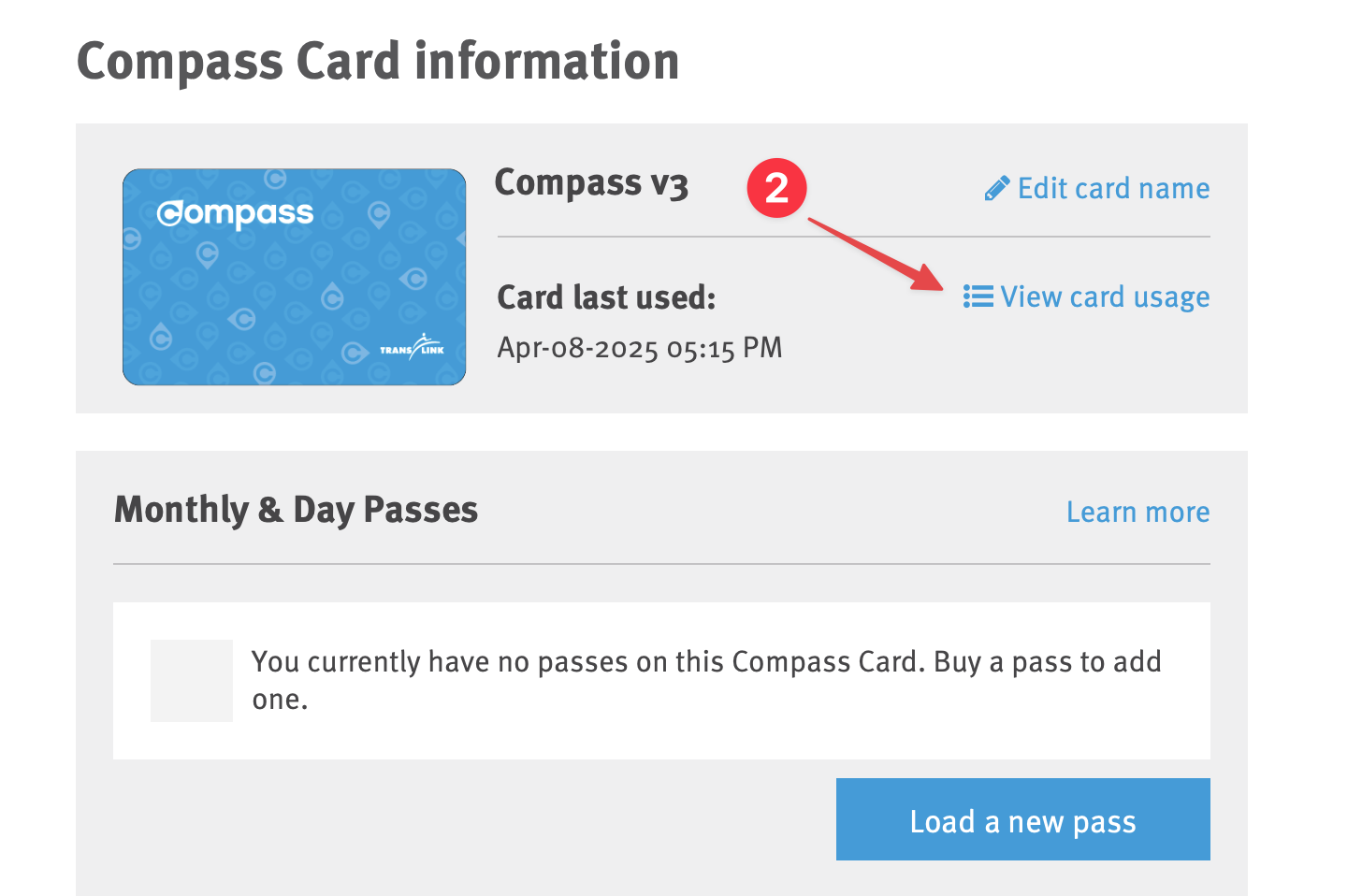
Find your card in the list of registered cards
Don't see your card? Click "Add Card" and enter the card number and security code from the back of your card.
- Click "View card usage"
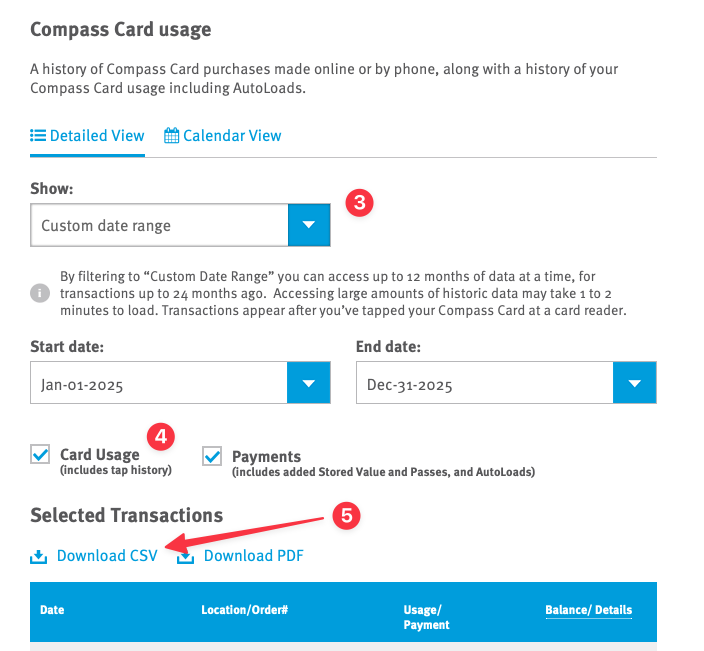
- Under "Show:", select "Custom Date Range" to choose the period you want (or "Previous year" for the last 12 months)
- Make sure "Card Usage" is checked
- Scroll down to "Selected Transactions" and click "Download CSV"
A few notes:
• You can select a custom date range for up to 12 months of
taps at a time. For multiple years, download each year
separately.
• Have multiple cards or years? No problem! Drop all your CSV
files into the upload zone at once!